Is your 3D Production pipeline bottlenecked?

Is your 3D Production pipeline bottlenecked?

Technological improvements in 3D software toolsets and computer hardware continue to enhance and advance the abilities of digital artists to create stunning images. Unfortunately, final rendering, which must be applied before 3D and visual effects elements can be seen in their full glory, remains a time-consuming and often daunting task. Many studios are ill-equipped to adequately address the rigorous technical requirements necessary to complete this final rendering stage.

YOUR TEAM OF ARTISTS IS UNABLE TO DELIVER THE REQUIRED QUALITY AND/OR QUANTITY WITHIN A SPECIFIC TIME FRAME Though digital artists do the best work possible with the resources at hand, even the most seasoned team or individual can struggle to keep up with project timelines and deliverables. When timelines become unmanageable, a substitution of quality for quantity is often one of the unfortunate workarounds—and adding more artists isn’t always the best solution. Unfortunately, many management teams simply aren’t aware of how much their artists’ ability to generate a quality final product can be hampered by inadequate or underpowered tools and technologies.

MISSED DEADLINES, LOST BIDS, FRUSTRATED ARTISTS, DISSATISFIED CUSTOMERS, AND MORE Inevitably, growing animation and design visualization studios begin to demonstrate signs of distress as the workload promised to customers approaches or exceeds in-house capacity. If not adequately addressed, this lack of capacity will begin to impact the studio in a number of undesirable ways—all of which are incompatible with company growth.

YOUR 3D RENDERING PIPELINE IS MOST LIKELY BOTTLENECKED There are many possible causes for bottlenecks in the pipeline, yet none of these affect the productivity of your studio as much as an inadequate capacity for rendering test shots and final images. Homegrown approaches to rendering, from relying upon your artists’ own workstations to use of an adhoc render farm to accomplish the task, can fail to provide the essential capacity, flexibility, and reliability necessary to accommodate your studio’s workload.

YOUR STUDIO NEEDS TO CONSIDER A DEDICATED RENDER FARM.

Boxx offers a range of rendering solutions including RenderPro 2 and RenderBOXX. Click the images to learn more.

Better Productivity through Improved Studio Efficiency A dedicated in-house rendering system increases the volume of finished work that can be delivered to customers. Dedicated render farms free your artists from unproductive hours or required overtime—a direct result of waiting for creations to render. When creative pipelines run smoothly and efficiently, deadlines become easier to meet, stress levels decrease, and your creative staff can enjoy normal working hours in a more relaxed atmosphere.

Increased Profitability Adding rendering capacity increases the ability of your company to keep pace with growing demand as your artists produce more work within a shorter period of time. Paying your artists to design, instead of paying them to wait for their work to render, maximizes the productivity of your existing human resources. As your business grows, you’ll be able to bid on more projects and larger projects, confident that your dedicated render farm will be instrumental in helping your creative teams deliver the promised product.

Improved Quality

By employing a dedicated renderBOXX or renderPRO, your studio workstations will no longer be tied up with rendering. Instead, they can be put back into service for the creation of projects. Allowing your artists more freedom to create, experiment, and refine their designs will result in more creative flexibility and higher-quality work.

Increased Customer Satisfaction When your creative team can deliver more options, produce better quality imagery, and provide faster turn-around times, the result is increased customer satisfaction which will, in turn, lead to repeat business and increased industry recognition.

#3D #3dproduction #rendering #pcworkstations #workstations #3dmodelling #rendwernode #renderfarm #renderboxx

 

How to Configure Your Revit Workstation for Optimum Performance

How to Configure Your Revit Workstation for Optimum Performance


As you may know, virtually all professional software applications are hindered in some way by performance bottlenecks. From inadequate hardware and legacy software code to poor end user software practices, these bottlenecks manifest themselves in a variety of forms.

As a leading innovator of professional, high-performance desktop workstations, Boxx makes a concerted effort to address your workflow’s software-specific bottlenecks related to computer hardware. In this article, we will outline key hardware components in your workflow and also explain which key features drive peak productivity.

High Frequency CPUs

One of Revit‘s biggest performance bottlenecks is the CPU – specifically, the frequency of the CPU in your system. Revit is referred to as “frequency bound,” meaning that the application’s performance is bound to the clock speed of the processor and not the number of CPU cores. The reason for this is that Revit, (like nearly all CAD applications), is single-threaded and in most instances, will only make use of a single core. This is often where we see a big difference between Xeon and i7/i9 processors. The clock speed is often more important than the amount of cores.

Intel Xeons are great for multi-threaded tasks like rendering and simulation. However, the more cores a CPU has, the lower the clock speed will be. There is often a misconception when it comes to CAD systems in that in order to qualify as a workstation, you need to have dual CPUs and that is simply not true. Instead you should be thinking about what is the best tool for the job. For CAD design, you need the highest frequency CPU.

How Much Memory?

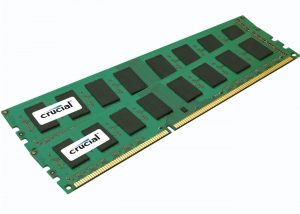
You need enough RAM so that you don’t have to swap or borrow from the hard drive, i.e., the virtual memory. If you are in the process of configuring RAM on your new workstation, take a good look at what you are currently using. Open a Revit model that is representative of your larger project files and monitor the memory usage for that file. If it is approaching your maximum, then you should go with more RAM for your new machine.

This will ensure accommodation for future design complexities with greater memory requirements over the life cycle of the machine.

When Revit opens a model, it is completely loaded into the computer’s memory. That is why Revit is so memory hungry. The amount of memory needed to run Revit smoothly is about 17 times the size of your project file. When the user executes a command, there is a lot of interaction between the memory and the processor.

Tasks like modifying level heights, structural analysis, energy simulations, and calculations of MEP systems will benefit from fast system memory. Also, be mindful of other memory-hungry applications you rely on in addition to Revit like 3ds Max, or standalone rendering engines like Lumion.

Getting Graphic

Much like the CPU component, many users are under the false impression that they need the most advanced professional Graphics card, like and Nvidia Quadro P5000 or P6000 for example, in order to accelerate their Revit viewport. however, high-end Quadro graphics cards like these are usually overkill for most 3D CAS design workflows. This may sound counterintuitive because if you’re experiencing poor interactivity within Revit’s viewports, it seems natural to blame choppy visual feedback on an underpowered graphics card. While Autodesk is constantly improving Revit to make more use of the graphics card, currently, the majority of viewport changes are handled by the processor.

The vast majority of Boxx customers opt for the Nvidia Quadro P2000 or P4000, as we recommend saving money on an expensive GPU and allocating that money for the fastest CPU your budget allows.


Local Storage

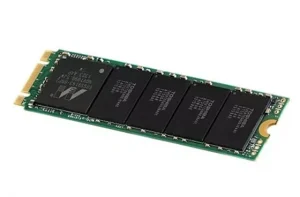
Another significant productivity killer can be the speed of your network coupled with the speed of your local storage. Revit models are getting more and more complex, leading to extremely large projects files of 10, 20, 30 gigabytes or even more. Many Revit users collaborate with each other on a central project file over a LAN. Fast local storage will benefit local changes that need to be synchronized to the central model, but you’ll also benefit from fast local storage when working on projects with linked files.

Linked files benefit from fast local storage because when you open a project with linked files, they are temporarily stored in your Windows Temp folder. But these linked files also need to travel the network. The network is the bottleneck here.

High Speed Network

Due to the need to transfer large project files over the network, you’ll want the fastest network you can afford. Gigabit Ethernet is very common these days and depending on the size of your project files, can be adequate for file-based work sharing on a local LAN. As project size and complexity increase, you will likely notice delays when synchronizing updates to and from a central project.

Upgrading your network to 10GbE can greatly reduce sync times for large files, but you will need to weigh the benefits vs. cost of deploying 10GbE network infrastructure which includes cables and switches.

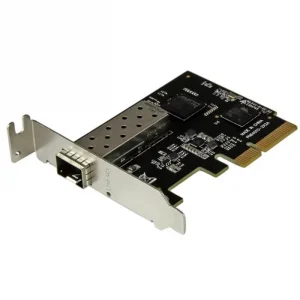
Another consideration is that most workstation motherboards currently do not have onboard 10Gb Ethernet Ports. Although a common solution is to use a PCIe 10Gb network card, you should carefully factor this option into your overall system configuration as the network card would occupy a PCIe slot, possibly limiting more advanced multi-GPU configurations if your workflow incorporates other GPU-accelerated applications in addition to Revit.